Setting Up OrcaSlicer

OrcaSlicer (also known as Orca Slicer) is a fast, free, open-source 3D printing slicer created by SoftFever. Built for speed, precision, and a great user experience.
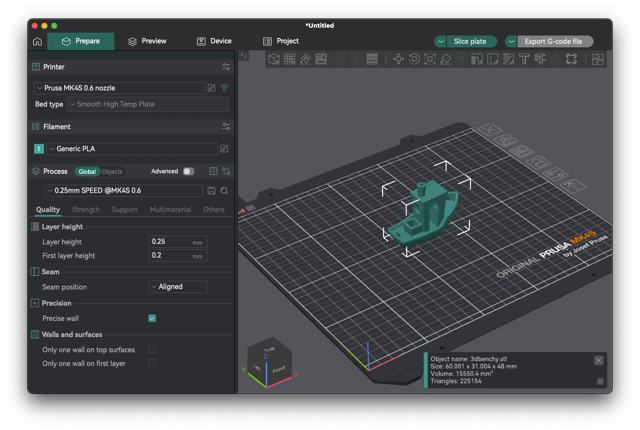
Download from: https://www.orcaslicer.com/
Set Up
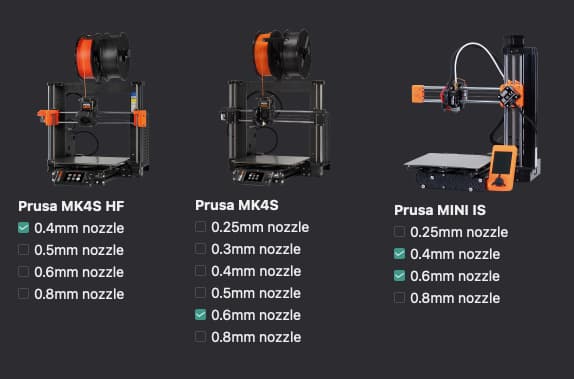
Follow the setup screen. Pick your printers as follows:
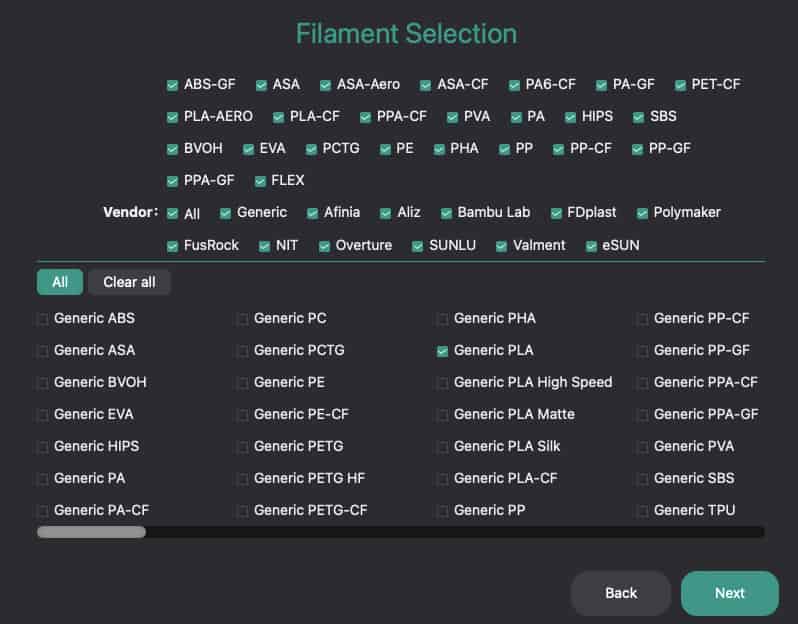
And pick your materials:
Use
Go to the Prepare screen.
You can load a model with the Add Model icon (first on the row at the top of the screen), or File > Import.
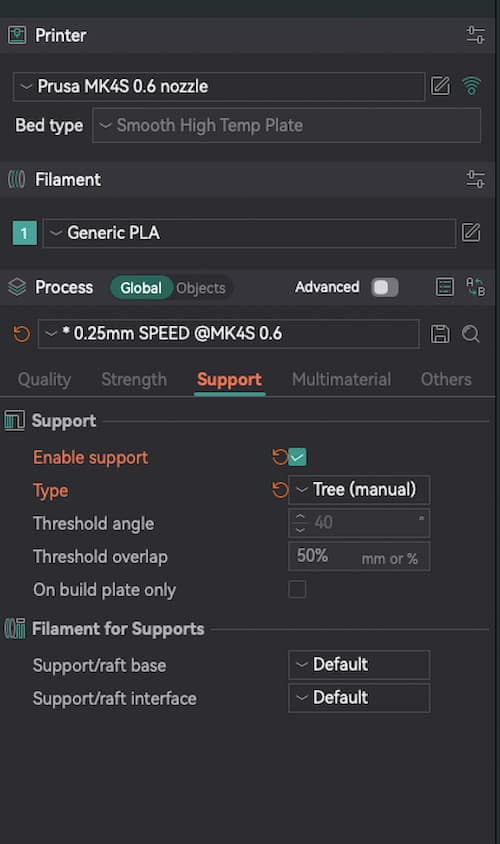
On the left-hand-side, choose your Printer, choose your Filament, and choose your Process.
Make customisations, eg temperature settings and Enable Support in the options below. Note For Support Normal (manual) and Tree (manual), you need to use the support painting tool on the top row of icons.

On the top row, you have options to scale and rotate, etc.
For more info, check out: https://www.orcaslicer.com/wiki/
On the top right, click Slice.
The Preview will show calculations and a breakdown of the time of your print. If you make changes after this point, you will need to slice again.
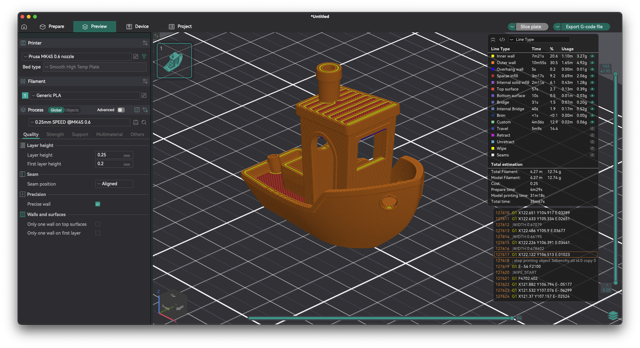
Click Export G-code file and save the file to a USB stick.
Proceed to: Setting Up The Printer