Introduction to Pen Plotting
v0.1 by Ger Walsh - September 2026
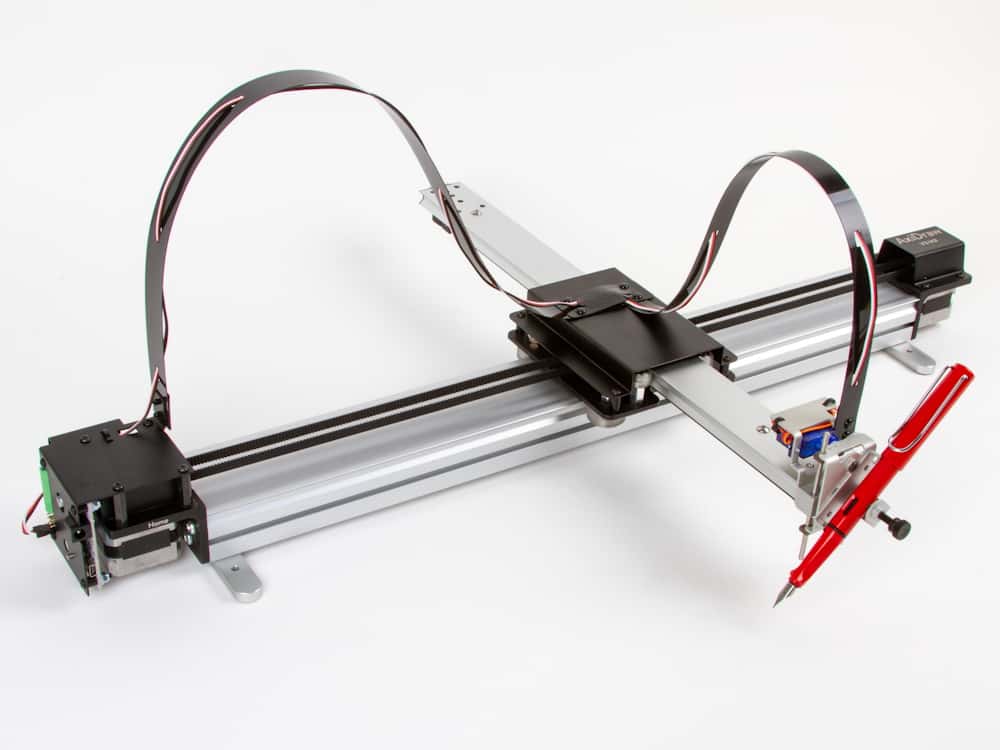
This is an Axi-Draw v3 (A4-sized) Pen Plotter. The machine, API, python library, and Inkscape integration were developed by Evil Mad Scientist Laboratories, and bought by Bantham/Makerbot in 2024.
General Information
Install
The easiest way to get started is with the Inkscape Integration. Install Axi-Draw Control to set up the machine and send jobs, use Extensions>Axi-Draw Utilities for other tools.
Prepare File
Open Inkscape. Go to Document Preferences, and set the page to A4, Landscape.
Convert text objects to paths (gives outlined text), or use the Axi-Draw Hershey Text extension to convert to a single-line font.
Use the Hatch Fill extension to "fill" shapes.
Convert any drawings to simple paths. Ungroup groups and use the layers panel to make sure there are no unintended heirarchies. Set the stroke thickness 0.1mm, and colour black, #000000.
Send
Connect to the machine by Micro USB cable.
Insert the pen/tool.
In Axi-Draw Control, use the Setup tab to calibrate the PenUp height and the PenDown height (heights in %).
Then use the Plot tab and Apply to send the current drawing.
What next?
For more features, read the Axi Draw Wiki, and look into the Command Line Interface and the Python Library.
Look into making generative art, from programs like Processing. (On Reddit: r/generative, r/PlotterArt or r/PenPlotters).
For up to A1-size, try the Roland GS-24 in Fab Lab Limerick, with the Pen Mod, and use InkCut to send your drawing. Contact someone at the Fab Lab about this.
Resources
- drawingbots.com
- Axi Draw Wiki
- Bantam NextDraw (successor of Axi-Draw)
- Tracing The Line (Book)